
Social media planner
Plan a week of social media posts in one sitting.
Write each post once, check how it looks on Instagram, Facebook, TikTok, and LinkedIn, and put it on the calendar. PingPingPost publishes it on time, so you can get back to work.
Early access is by invitation. Email us and we will get back to you.
Publishes to
 Instagram
 Facebook
 TikTok
 LinkedIn

Schedule a week of posts in three steps
Create, schedule, publish. That is the whole job.
- Step 1Create
Write it once
One message for every network. Add photos, a carousel, or a video.
- Step 2Schedule
Put it on the calendar
Pick the day and time. Drag the post to another day if plans change.
- Step 3Publish
Let it go out
PingPingPost publishes on time, even on your busiest day.
Less time on social media, more time for your business
Each screen helps you get posts out the door.
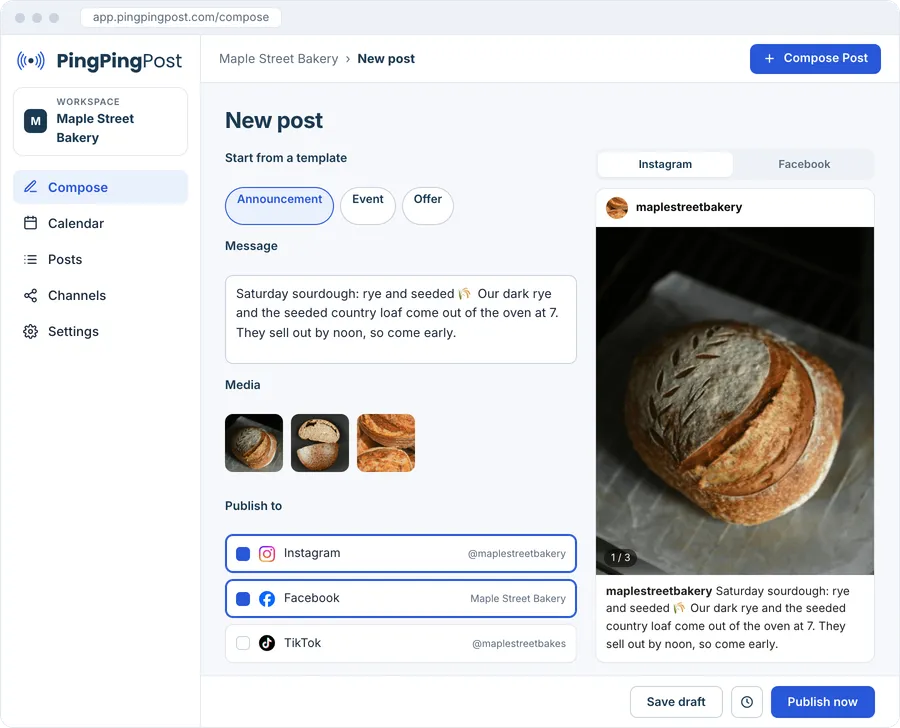
Compose
Write once, post everywhere
One message, with a preview for Instagram, Facebook, TikTok, and LinkedIn. Templates give you a head start.
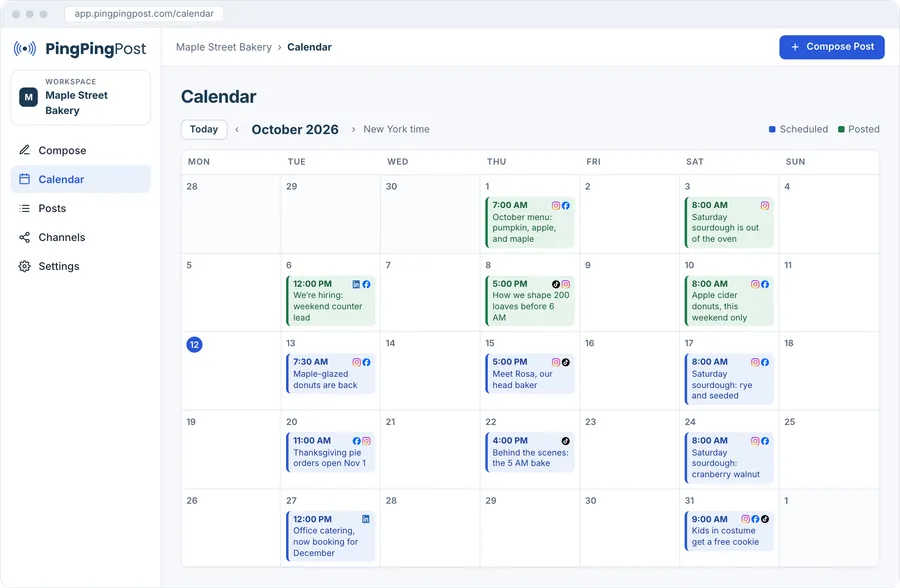
Calendar
Your month of posts on one calendar
See the empty days at a glance and fill them. Drag a post to move it.
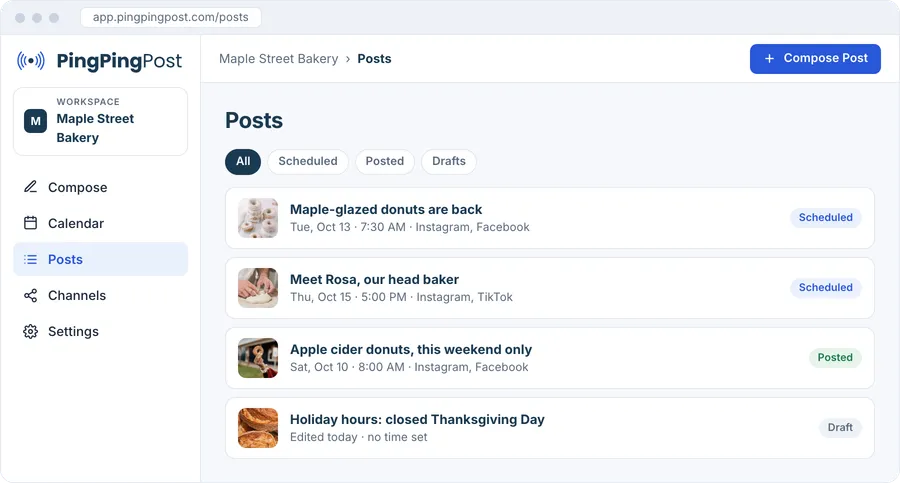
Posts
Know what went out
Drafts, scheduled posts, and published posts in one list, each with its status.
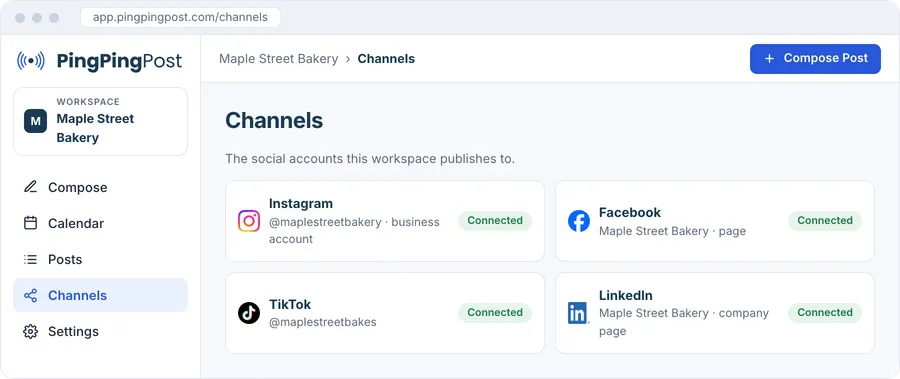
Channels
Connect your accounts once
Connect Instagram, Facebook, TikTok, and LinkedIn one time. The app tells you when an account needs a fresh sign-in.
Instagram carousels, Reels, and TikTok videos
Several images in one post, or a video for Reels and TikTok.
Your own time zone
Every member sees the calendar in their own time zone. A post is one moment for everyone.
Publish now or later
Send a post right away, or set a time. Change the time until it goes out.
Pricing
Simple monthly pricing. Cancel anytime.
Launch
For one brand getting started.
$29 /month7-day free trial
- 3 social accounts
- Unlimited posts
- Scheduling
Grow
For a growing team.
Pricing coming soon
Scale
For agencies with many accounts.
Pricing coming soon
Questions
Which social networks does PingPingPost publish to?
Instagram, Facebook, TikTok, and LinkedIn.
Is there a free trial?
Yes. The Launch plan starts with a 7-day free trial when sign-up opens. Until then, email us to request early access.
Can I cancel at any time?
Yes. Plans are monthly, and you can cancel at any time.
Can I schedule Instagram carousels and Reels?
Yes. Add several images for a carousel, or a video for Reels and TikTok.
How many accounts can I connect?
The Launch plan includes 3 social accounts.
Which time zone does the calendar use?
Your own. Each member sees the calendar in their own time zone, and a post goes out at the same moment for everyone.